
Who uses this: Admins can enable it. Availability: Requires an active Thumbtack account with at least one business profile.The Thumbtack integration brings every new Thumbtack lead into FieldPulse automatically as a Customer record — and, if you turn it on, a Job mapped to the right Thumbtack business profile and Job template. It ends the manual re-entry of Thumbtack leads and keeps your response fast, which matters because Thumbtack ranks your profile partly on how quickly you reply.
Eager to learn more about our partner? Check them out here.
Overview
Once connected, each new Thumbtack lead automatically creates a Customer record in FieldPulse. You can also turn on automatic Job creation and map each of your Thumbtack business profiles to a specific Job template — so leads from a “Roof Repair” profile create a Job from your Roof Repair template, while “Gutter Cleaning” leads use a different one. Everything lands in FieldPulse categorized and ready to assign.Before you begin
- You need Admin permissions in FieldPulse to enable and configure the integration.
- You need an active Thumbtack account with at least one business profile.
- Setup is web-only — it cannot be enabled or configured in the mobile app. Leads created by the integration still appear in the mobile app once they are in your account.
Connect Thumbtack
- In FieldPulse, go to Company Settings > Features & Plugins.
-
Locate the Thumbtack tile and select Enable.
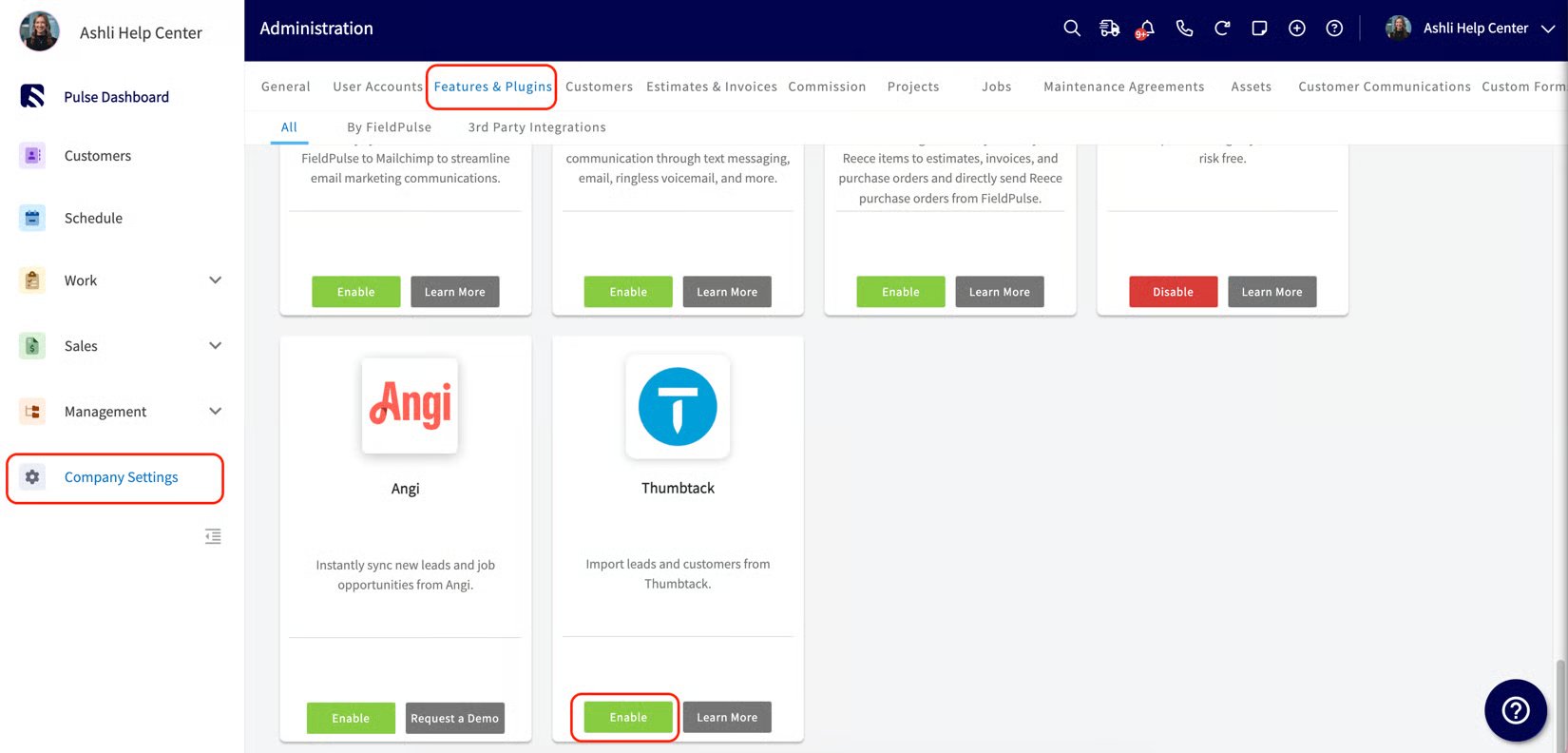
- You are redirected to Thumbtack’s sign-in page. Log in with your Thumbtack credentials. (If authentication fails, close the error and select Enable again to retry, or select Get Support to open live chat.)
-
Back in FieldPulse, a configuration pop-up appears. Leads will automatically create Customer records. To also create Jobs, turn on Create new Job for each lead automatically.
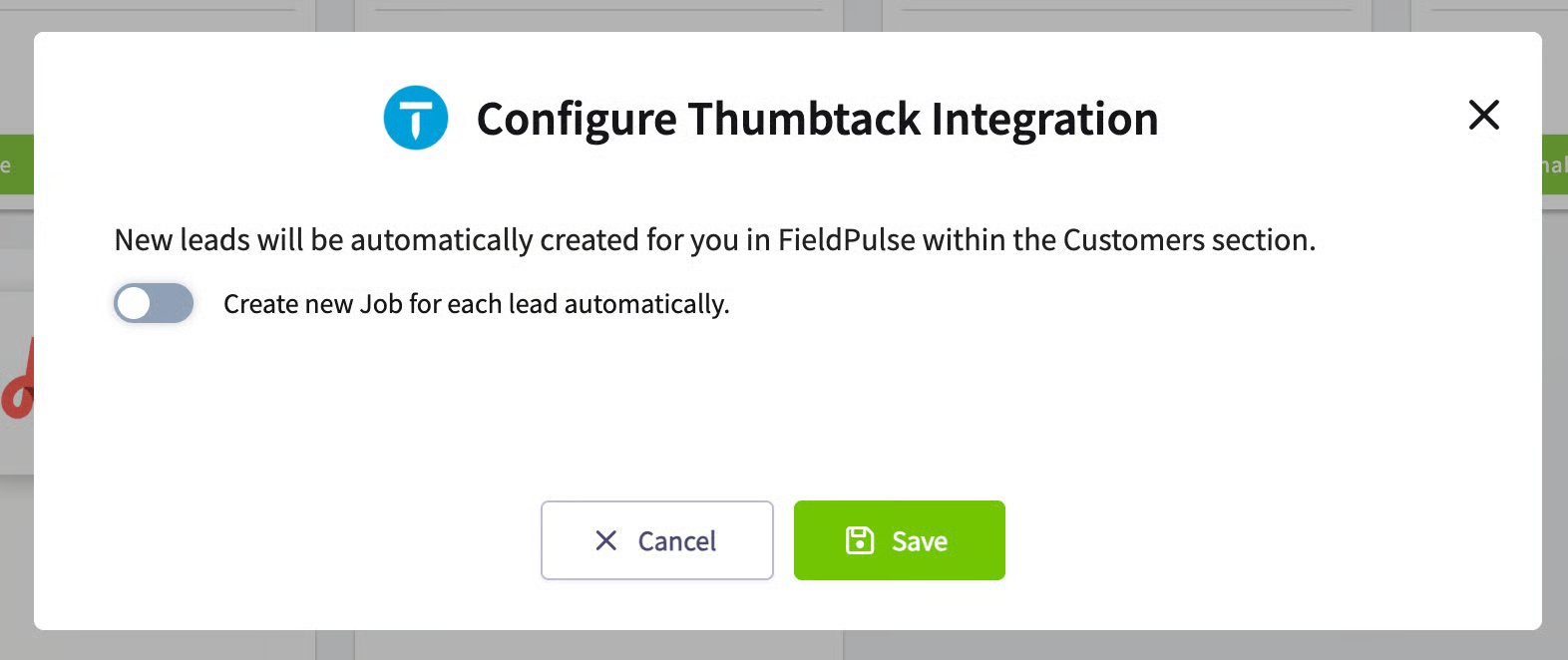
- If you turned the toggle on, a table lists your active Thumbtack business profiles. Choose a Job template for each profile (leave one unset to create a generic, unscheduled, unassigned Job).
- Save your configuration. The Thumbtack tile now shows a Configure button for later changes.
What syncs
When a new lead comes in, FieldPulse checks whether the customer already exists by name and address (Thumbtack does not provide email and uses intermediary phone numbers), then:
Contact the customer through the Thumbtack number first. Thumbtack ranks your profile partly on response speed and quality. Reach out via the Thumbtack number, or enable an auto-response in your Thumbtack account and follow up through another channel, to keep your profile in good standing.
Your setup is working when a new Thumbtack lead appears in FieldPulse as a Customer record with the Thumbtack lead source and tag — and a matching Job if you enabled automatic Job creation.